Simple Feature Board
Install the Simple Feature Board feedback widget
Create a board, authorize your website’s origin and install its configuration before the widget loader. The hosted board also works as a direct link, including from native iOS and Android apps.
Updated
1. Get your board-specific snippet
Sign in, select your workspace and open Widget setup. Copy its snippet or the ready-to-use AI installation prompt. The public project key identifies the board; it is not a server secret. Do not add API keys, user tokens or private credentials to client-side code.
<script>
  window.FeatureBoardConfig = {
    projectKey: "YOUR_PUBLIC_PROJECT_KEY"
  };
</script>
<script src="https://simplefeatureboard.com/embed.js" async></script>
2. Configure allowed origins
Add each website origin in the dashboard: for example https://your-app.example or http://localhost:3000. An origin contains a scheme, hostname and optional port, not a path. www and non-www are different origins. Authorize only sites you control. Allowed origins are required for embedding, not for opening the hosted board directly.
3. Load once, after configuration
Install from your framework’s shared browser entry point. Define the configuration before the async loader and do not load another copy on every client-side navigation. With server rendering, access window only in browser code. If your Content Security Policy is restrictive, permit https://simplefeatureboard.com in the necessary script-src and frame-src directives without weakening unrelated protections.
4. Customize the launcher in your application
The default floating Feedback button is supplied by the widget. Style its stable data attribute in your global CSS. Page exclusions belong in your application’s route-aware integration, not in Allowed Origins. If you use your own launcher, configure the dashboard snippet accordingly and call window.FeatureBoard.open() only after the widget has loaded; avoid two visible feedback controls.
[data-simple-feature-board-button] { transition: transform 160ms ease; }
[data-simple-feature-board-button]:hover { transform: scale(1.05); }
@media (prefers-reduced-motion: reduce) {
  [data-simple-feature-board-button] { transition: none; }
}
5. Verify the integration
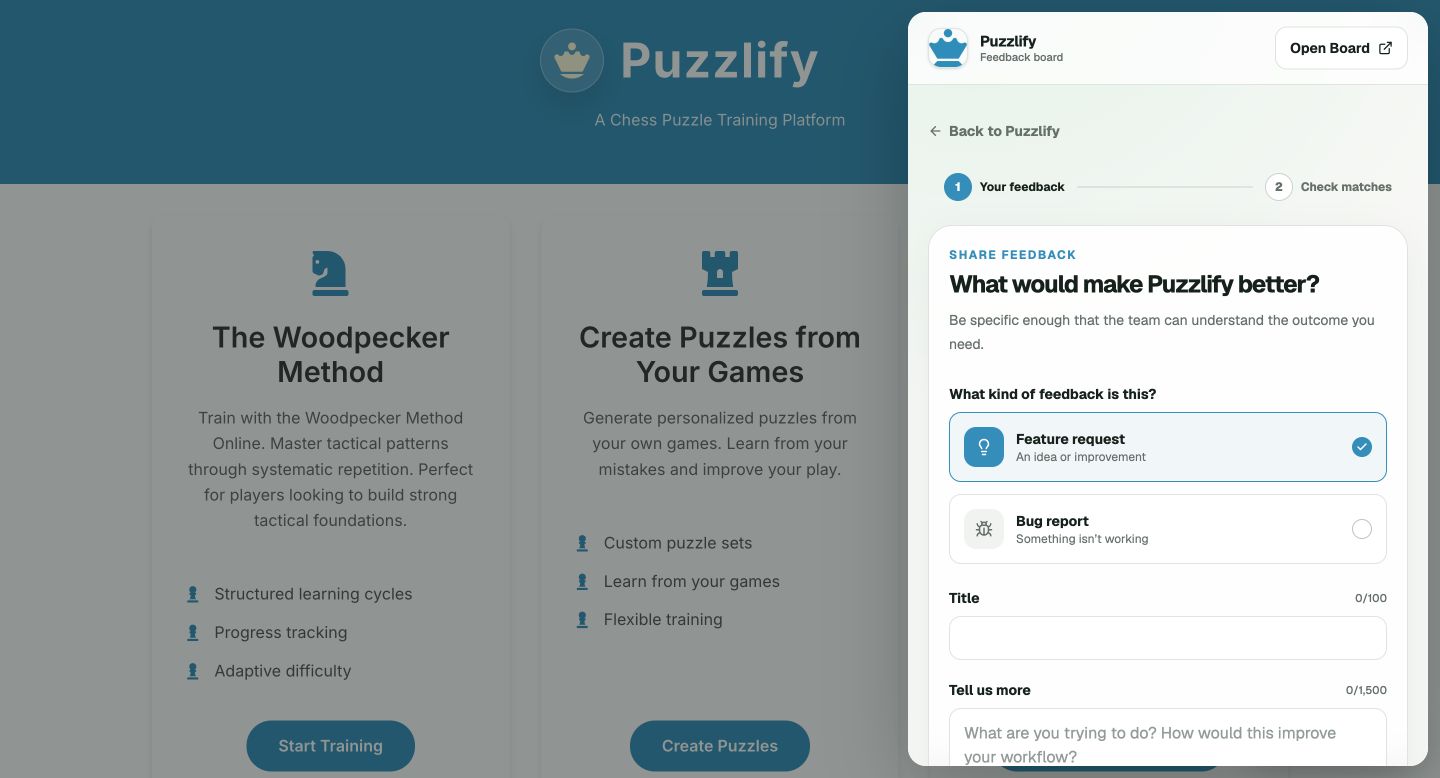
Open the widget on each authorized origin, submit a non-sensitive example and check the dashboard. Under review-before-publication, a successful submission stays pending until published. Check narrow screens, keyboard Escape, outside-click dismissal and any routes where the launcher should be absent. The widget’s Open Board control opens the hosted board in a new tab.
Native iOS and Android apps
The JavaScript widget is for websites, not native UI. Add a Feedback button opening your workspace’s public board URL. On iOS, SFSafariViewController is an option; on Android, use a Custom Tab or the system browser. Copy the actual board URL from the dashboard. No allowed origin is needed for this link-only approach; do not invent a native SDK integration.