Implementation guide
How to add a feature request board to a SaaS app
A practical way to add a hosted feature request board and feedback widget to a SaaS app without building your own feedback system.
Start with one simple feedback path
A feature request board works best when customers have one obvious place to share ideas, see what already exists, and follow progress. It should not compete with support, sales, or a dozen different forms.
For most SaaS products, the practical setup is a small in-product feedback entry point plus a hosted public board. The widget makes asking easy in the moment; the board gives customers a shared place to vote and prevents the same request from arriving repeatedly.
Create the board before writing any code
First, create a workspace for the product. Give the board a clear name, add the public website URL, and choose a color that fits the product. Decide whether new requests should publish immediately or wait for review. Neither choice is universally right: immediate publishing creates a more open community, while review gives a small team more control during launch.
- Use a product-specific board name so customers know they are in the right place.
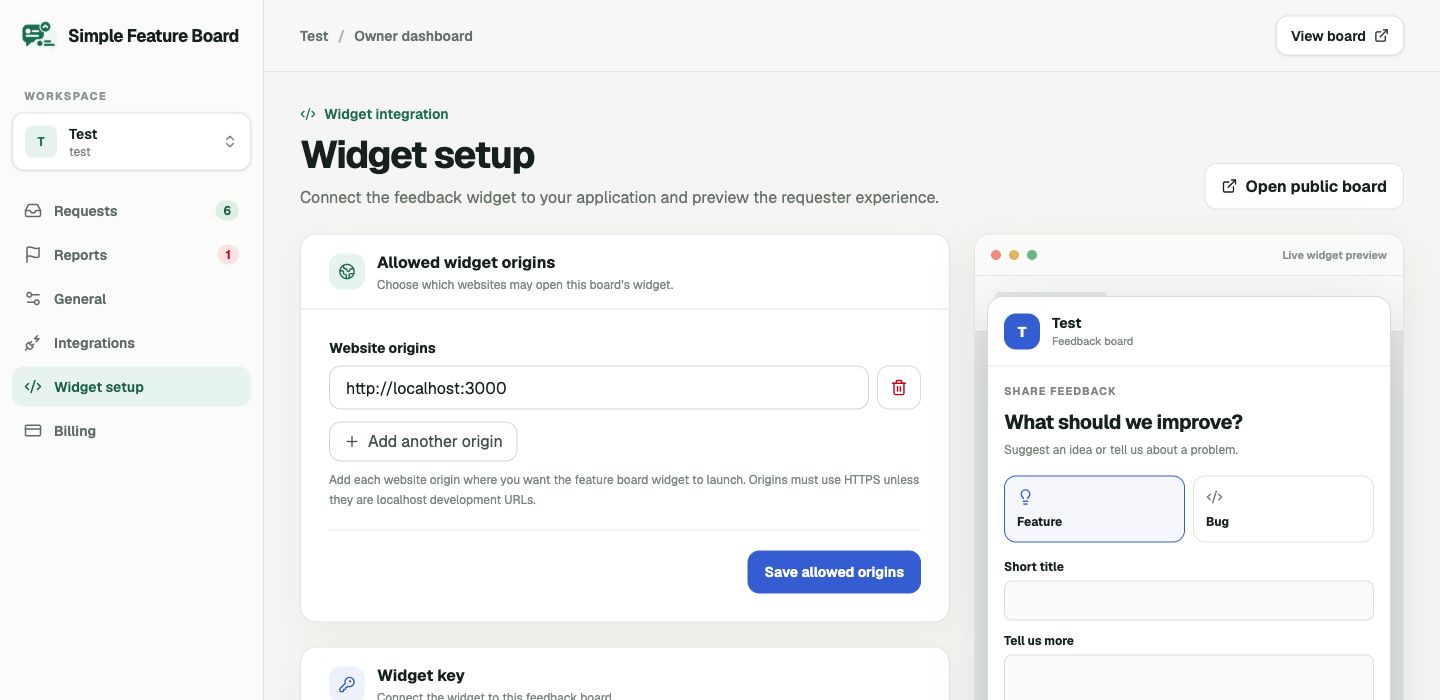
- Add every website origin where the widget will run, including the protocol, such as https://app.example.com.
- Set a short, plain-language description that explains what kind of feedback is welcome.
Install the widget where feedback is useful
Place the provided script in the web application and add a Feedback button in a stable, discoverable location. A help menu, settings page, or a small floating button are good defaults. Avoid showing the prompt during an important task, checkout, or a destructive workflow unless you have a specific reason to ask there.
Use the allowed-origins setting as part of the installation, not as an afterthought. It lets the board accept widget traffic only from your approved sites. If some pages should not show a floating button, make that choice in your application’s widget configuration; the hosted board remains available through its own link.
Make the hosted board easy to find
The widget is not a replacement for the public board. Add a Feedback or Feature requests link in your product navigation, help center, or account menu. The hosted board is where customers browse existing ideas, vote, and understand whether a request is open, planned, or in progress.
When you announce the board, set expectations. Say that every request is read, voting is one signal among several, and a public status is not a delivery promise. This small bit of clarity protects trust later.
Establish a weekly operating habit
A board becomes valuable through the response loop, not simply by collecting a list. Give one teammate responsibility for reviewing incoming requests, merging clear duplicates, and applying status updates. A short weekly review is enough for many early-stage teams.
Look for recurring problems and the context behind them. Votes are useful, but a request from the right customer at the right point in their workflow can matter more than raw volume. The board should help you make that judgment visible and repeatable.
A focused place to start
Turn feedback into a clear shared loop.
Simple Feature Board gives product teams a hosted board, embeddable widget, moderation controls, and public status updates—with straightforward pricing.
Create your free boardRelated product pages